
The nearby phone finder for Android
Find your phone.
With a clap.
Or a whistle. Or one less
“has anyone seen my phone?”
Turn the finder on before you put your phone down. When it goes missing nearby, give it a signal.
Free to download. No account needed.

you are.
For the everyday disappearing act
Under a cushion.
Behind a pillow.
You know the places.
A tiny habit now saves you the search later. Here’s how to give your phone a way to answer back.
- 01
Turn it on.
Open ClapWhistle, allow the microphone and turn the finder on. Try a quick signal check.
- 02
Put it down. Live your life.
The finder can keep listening with the screen locked. Your phone’s battery settings may need a quick check.
- 03
Clap. Whistle. Found it.
Make your chosen signal nearby, then follow the sound, vibration or flashing light.
Two claps. One less search.
A visual preview. No microphone, no sound.
Small app. Everyday relief.
Make yourself
at home.
No complicated setup. Just a finder you can make your own.
One tap before you put it down.
Turn the finder on, then get on with your day. A clear listening status lets you know when it’s ready.
A little peace of mind. ↗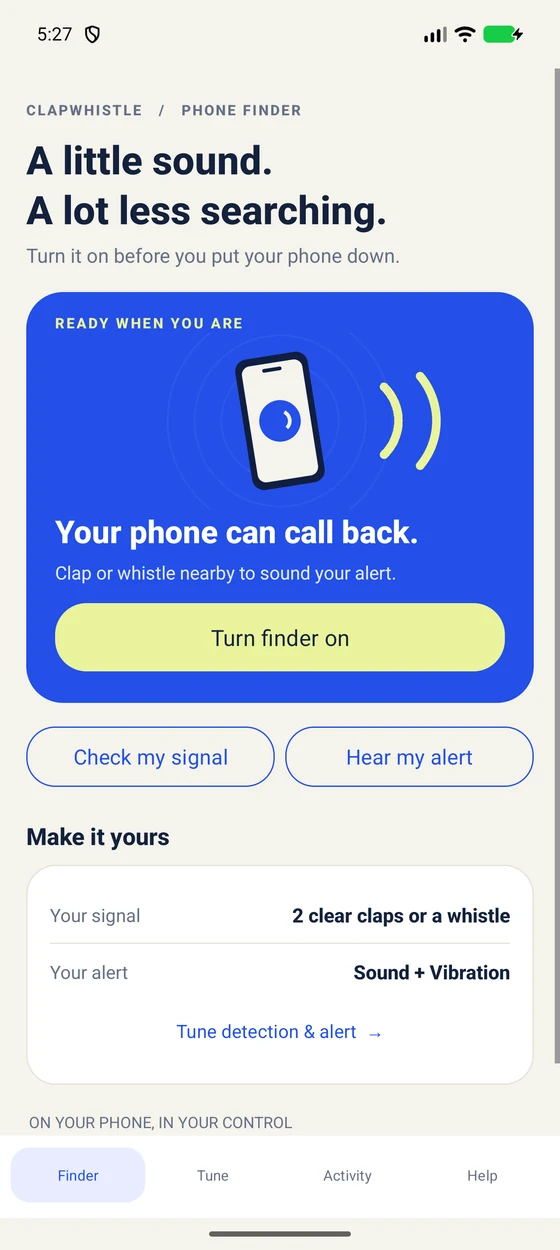
Your room. Your conversations.
Your audio stays
with you.
ClapWhistle checks for claps and whistles on your phone. It doesn’t save microphone audio or send it anywhere.
No account to make. No recordings to delete. The app is supported by ads, with the details explained in plain terms.
Read our privacy policyA little help goes a long way
Less guesswork.
More “got it.”
Phone missing
right now?
A few useful steps when your phone has disappeared at home.
Let’s find it 02 / GET IT WORKINGClapping.
Nothing happening?
Check the microphone, your signal and your alert, one at a time.
Fix missed claps 03 / KEEP IT READYMake friends with
your battery settings.
Help your Android phone keep the finder listening when you need it.
Check your settingsHow do I find my phone by clapping?
Does it work when my screen is locked?
Will it ring if my phone is on silent?
Does ClapWhistle record my conversations?
Is it free? Does it need internet?
Can it find a phone that’s already lost?
A little less “where is it?”
Next time,
let your phone call you.
Free to download · Contains ads
For Android 6.0 and up