
1. Get your phone ready
Install ClapWhistle from Google Play and open it while your phone is in your hand. Allow microphone access when asked, then turn the finder on from the Finder screen. The microphone is how your phone hears your claps or whistles.
Look for the listening status before putting your phone down. Android also shows a microphone indicator and an ongoing notification while the finder is listening. You can stop listening from the app or its notification.
Do this before your phone goes missing. Installing an app after you lose your phone won’t start its microphone remotely. If you’re already searching, try these steps first.
2. Choose a clap or whistle
Open Tune → Signal. Choose clap, whistle or both. For claps, choose a pattern of one to four claps; two is the default. For a whistle, use a steady note for about a second.
Open Signal check and try your signal with the phone nearby. Watch the microphone meter respond. If it hears the room but misses your signal, adjust sensitivity a little and try again. A quieter room makes the first test easier.
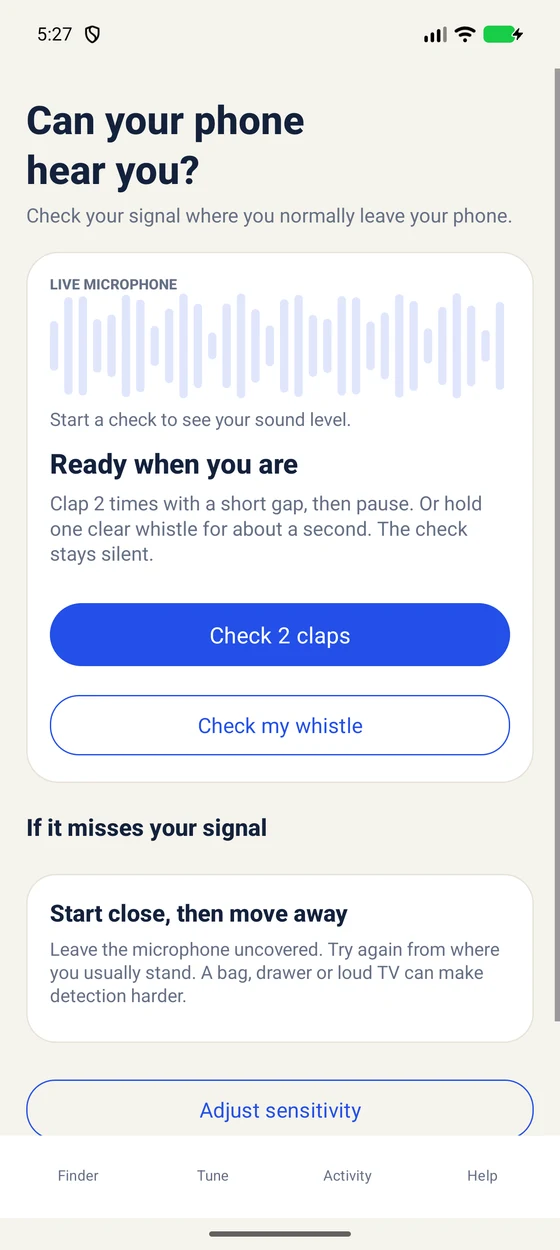
Use the separate guides for finding your phone with claps or setting up a whistle.
3. Choose a sound you’ll notice
Open Tune → Alert to pick a sound, adjust the volume and try your alert. You can also add vibration and flashlight. If you use flash, allow the flashlight permission when Android asks.
Try the alert before leaving your phone somewhere. Check it with the silent mode, Do Not Disturb and Bluetooth settings you normally use. The sound uses alarm volume, and connected headphones or a speaker may affect where it plays.
4. Give it a real-life test
- Turn the finder on and confirm that it is listening.
- Put the phone on a table nearby. Lock the screen and wait a little.
- Make your chosen signal, then check that you can hear or see the alert.
- Try again from the places where you usually lose your phone.
Results depend on your phone, the room, background noise and anything covering the microphone. There isn’t one distance that works everywhere. If it only works with the screen on, follow our background listening guide. Turn the finder off when you don’t need it.
If your installed version looks different, check Google Play for an available update. Button labels may vary between versions.